Jan 22, 2026

Building Scalable Technical Support for Engineering Communities in Electronics Manufacturing
JeongJun Song
Dipkumar Patel
Alex Bui
Supporting developers in public forums is fundamentally different from supporting users inside a private dashboard.
Discord has become a primary venue for developer support and community-driven troubleshooting. But building an AI-powered Discord integration that operates reliably inside large, public servers introduces a very different set of technical challenges around scale, security, abuse prevention, and user experience.
When we set out to build Rapidflare’s Discord integration, our goal wasn’t to create a simple chatbot. We needed an integration that could function predictably inside high-volume developer communities, without degrading reliability, exposing security risks, or disrupting existing workflows.
This post walks through the engineering decisions behind Rapidflare’s Discord integration and explains how those decisions enable secure, scalable public developer support.
The Challenge of Supporting Public, High-Volume Developer Communities
Discord servers for technical products often grow into communities with thousands, or even tens of thousands, of users. In that environment, an AI agent must operate under constraints that don’t exist in private dashboards or ticketing systems.
Specifically, the agent must be able to:
Respond quickly and consistently in busy public channels
Operate safely in environments where anyone can interact with it
Prevent abuse, spam, and prompt manipulation
Respect server- and channel-specific workflows
Scale under bursty traffic without degrading reliability
These challenges shaped every architectural and product decision we made.
Key Constraints That Shaped the Integration
Before selecting technologies or writing code, we focused on defining the constraints the system needed to satisfy.
The integration had to be:
Stateless and scalable, to handle unpredictable traffic spikes
Secure by default, with strong authentication and access control
Configurable, to adapt to different community norms
Native to Discord, rather than feeling bolted on
Operationally observable, especially for admins and moderators
These constraints informed our approach to architecture, security, and UX design.
Architectural Foundations: Choosing Webhooks Over WebSockets
Most Discord bots rely on the Discord Gateway, which uses long-lived WebSocket connections to receive events in real time.
Early in development, we determined that maintaining persistent WebSocket connections would introduce unnecessary operational complexity for our initial use case—particularly around scaling and reliability.
Instead, we adopted Discord’s recommended HTTP Interactions Webhook model.
Why This Decision Matters
WebSockets require long-lived connections that are harder to scale horizontally
Webhooks invoke our system only when a user interaction occurs
The webhook model handles bursty traffic more predictably
Stateless requests simplify deployment and fault isolation
This architecture allows Rapidflare’s Discord integration to reliably support servers with 10,000+ users today.
We’re not ruling out the Discord Gateway in the future. Certain features—such as automated forum responses—may eventually require a WebSocket-based approach. But for interactive support workflows, webhooks provided the right balance of simplicity and scalability.
Securing an AI Agent in Public Discord Servers
Exposing an AI agent to public Discord servers introduces real security and abuse risks. We addressed these risks through multiple layers of protection.
OAuth2 Authentication
Server administrators connect their Discord servers through Rapidflare’s dashboard using Discord’s official OAuth2 flow. This ensures that:
Only authorized servers can enable the integration
Admin identities are verified by Discord
Access can be centrally managed and revoked
Channel Allowlisting
Not every channel should be AI-enabled. Admins explicitly define which channels the bot is allowed to respond in. Messages in all other channels are ignored.
This prevents accidental responses in off-topic, private, or sensitive channels.
Request Signature Verification
All incoming Discord interactions are authenticated using Discord’s standard request signature verification before being processed by Rapidflare. This ensures that only legitimate Discord events are handled.
Rate Limiting and Abuse Prevention at Scale
In large public communities, abuse prevention is as important as raw performance.
We implemented:
Per-user rate limits to prevent spamming
Per-channel rate limits to control burst traffic
Friendly ephemeral notifications when limits are exceeded
Rate-limit keys and notifications are cached to ensure these protections remain effective even under high load. This allows the system to degrade gracefully instead of failing noisily.
Designing a Native Discord Experience
Discord has unique UX constraints that required deliberate handling to ensure the integration felt native rather than intrusive.
Message Length and Formatting
Discord enforces a 2,000-character limit per message
Longer AI responses are automatically split into multiple messages
Markdown tables are converted into readable ASCII formats that render cleanly in Discord
These choices preserve readability without breaking conversational flow.
Feedback Collection
Each response includes 👍 / 👎 feedback controls:
Positive feedback supports lightweight tagging
Negative feedback triggers a structured feedback modal
Only the original requester can submit feedback
This enables continuous quality improvement without cluttering public channels or enabling abuse.
Supporting Different Discord Community Workflows
Discord servers operate in very different ways. Some prefer fully public conversations, while others favor quieter, more private interactions.
To accommodate this variability, we introduced three response modes:
Public: responses are visible to the entire channel
Ephemeral: responses are visible only to the requester
Threaded: a dedicated thread is created for the conversation
Admins can configure response behavior per channel, allowing the agent to adapt to each community’s norms rather than enforcing a single interaction style.
Enterprise-Ready Capabilities for Large Organizations
As adoption expanded, we added features required by larger organizations and platform teams.
White-Label Bot Support
Customers can deploy the integration using their own branded Discord bot, preserving brand consistency within their developer ecosystem.
Channel Type Awareness
Discord includes text channels, forum channels, threads, and hybrid voice channels. The integration automatically adapts its behavior based on channel type to ensure appropriate response handling.
Admin Visibility and Oversight
Admins can view:
The Discord user who asked a question
The channel where it originated
Direct links to jump to the conversation in Discord
Combined with the ability to QA, review, and manage conversations from the Rapidflare dashboard, this supports moderation, auditing, and operational visibility.
Admins also have access to aggregate analytics to understand usage patterns and assess community engagement with the agent.
Final Thoughts: Scaling Public Technical Conversations
Rapidflare’s Discord integration represents an important expansion of the platform—from dashboard-based AI agents to public-facing technical engagement at scale.
As developer communities continue to play a central role in how technical products are evaluated and adopted, building reliable, secure, and scalable integrations like this becomes increasingly critical.
This integration is a foundation we’ll continue to build on as Rapidflare expands where and how technical conversations happen.
Read more

The Question Before the Answer: How We Built LLM-Powered Autocomplete
Vasanth Asokan, Co-founder & CTO
Prush Palanichamy, Co-founder & CRO
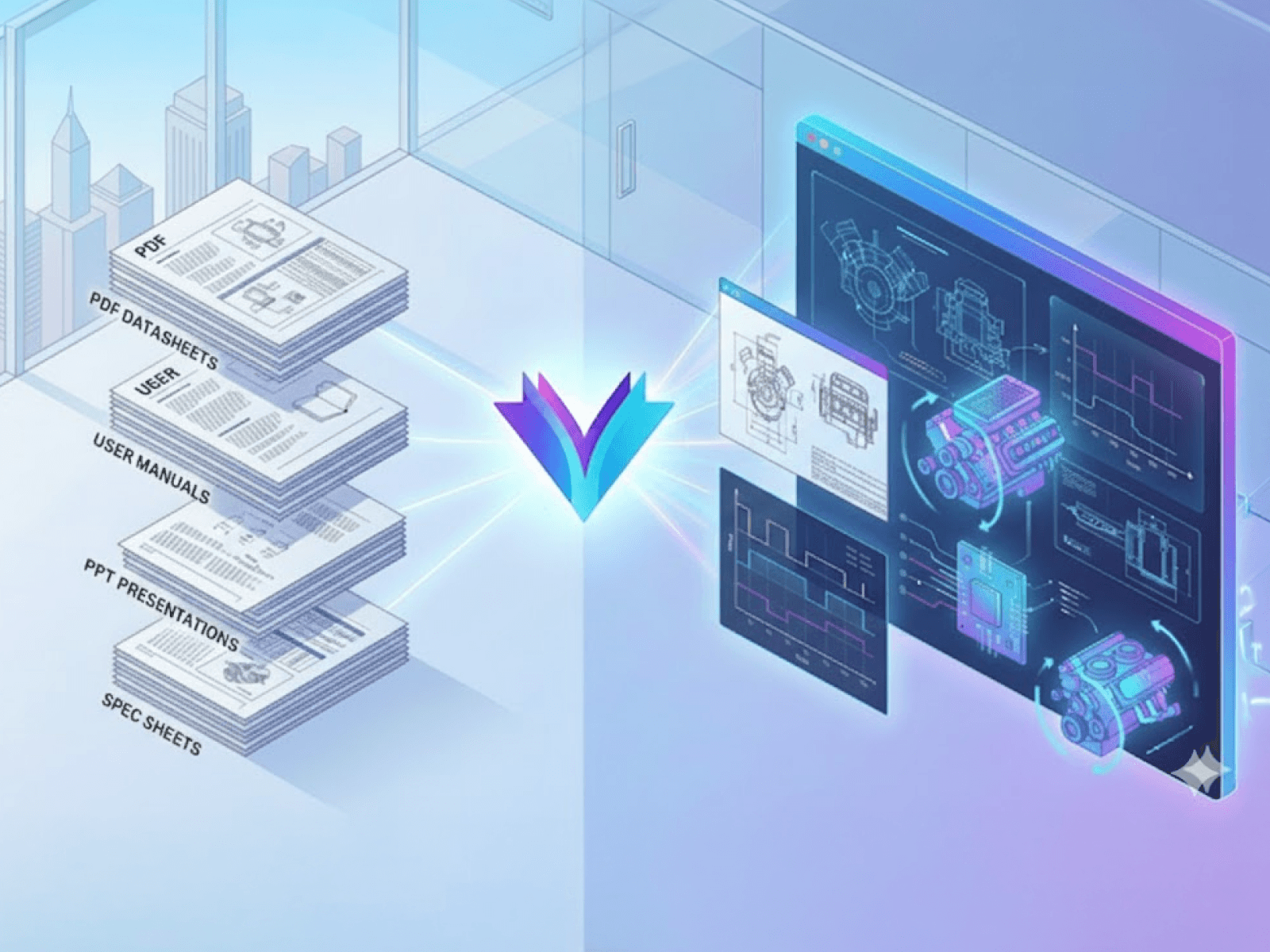
Introducing the Electronics Industry’s First AI Agent with Visual Reasoning
Vasanth Asokan, Co-founder & CTO
Prush Palanichamy, Co-founder & CRO

Rapidflare Launches Native Discord Integration for Scalable Developer Support
Vasanth Asokan, Co-founder & CTO
Prush Palanichamy, Co-founder & CRO
Jan 22, 2026
Building Scalable Technical Support for Engineering Communities in Electronics Manufacturing
JeongJun Song
Dipkumar Patel
Alex Bui
Supporting developers in public forums is fundamentally different from supporting users inside a private dashboard.
Discord has become a primary venue for developer support and community-driven troubleshooting. But building an AI-powered Discord integration that operates reliably inside large, public servers introduces a very different set of technical challenges around scale, security, abuse prevention, and user experience.
When we set out to build Rapidflare’s Discord integration, our goal wasn’t to create a simple chatbot. We needed an integration that could function predictably inside high-volume developer communities, without degrading reliability, exposing security risks, or disrupting existing workflows.
This post walks through the engineering decisions behind Rapidflare’s Discord integration and explains how those decisions enable secure, scalable public developer support.
The Challenge of Supporting Public, High-Volume Developer Communities
Discord servers for technical products often grow into communities with thousands, or even tens of thousands, of users. In that environment, an AI agent must operate under constraints that don’t exist in private dashboards or ticketing systems.
Specifically, the agent must be able to:
Respond quickly and consistently in busy public channels
Operate safely in environments where anyone can interact with it
Prevent abuse, spam, and prompt manipulation
Respect server- and channel-specific workflows
Scale under bursty traffic without degrading reliability
These challenges shaped every architectural and product decision we made.
Key Constraints That Shaped the Integration
Before selecting technologies or writing code, we focused on defining the constraints the system needed to satisfy.
The integration had to be:
Stateless and scalable, to handle unpredictable traffic spikes
Secure by default, with strong authentication and access control
Configurable, to adapt to different community norms
Native to Discord, rather than feeling bolted on
Operationally observable, especially for admins and moderators
These constraints informed our approach to architecture, security, and UX design.
Architectural Foundations: Choosing Webhooks Over WebSockets
Most Discord bots rely on the Discord Gateway, which uses long-lived WebSocket connections to receive events in real time.
Early in development, we determined that maintaining persistent WebSocket connections would introduce unnecessary operational complexity for our initial use case—particularly around scaling and reliability.
Instead, we adopted Discord’s recommended HTTP Interactions Webhook model.
Why This Decision Matters
WebSockets require long-lived connections that are harder to scale horizontally
Webhooks invoke our system only when a user interaction occurs
The webhook model handles bursty traffic more predictably
Stateless requests simplify deployment and fault isolation
This architecture allows Rapidflare’s Discord integration to reliably support servers with 10,000+ users today.
We’re not ruling out the Discord Gateway in the future. Certain features—such as automated forum responses—may eventually require a WebSocket-based approach. But for interactive support workflows, webhooks provided the right balance of simplicity and scalability.
Securing an AI Agent in Public Discord Servers
Exposing an AI agent to public Discord servers introduces real security and abuse risks. We addressed these risks through multiple layers of protection.
OAuth2 Authentication
Server administrators connect their Discord servers through Rapidflare’s dashboard using Discord’s official OAuth2 flow. This ensures that:
Only authorized servers can enable the integration
Admin identities are verified by Discord
Access can be centrally managed and revoked
Channel Allowlisting
Not every channel should be AI-enabled. Admins explicitly define which channels the bot is allowed to respond in. Messages in all other channels are ignored.
This prevents accidental responses in off-topic, private, or sensitive channels.
Request Signature Verification
All incoming Discord interactions are authenticated using Discord’s standard request signature verification before being processed by Rapidflare. This ensures that only legitimate Discord events are handled.
Rate Limiting and Abuse Prevention at Scale
In large public communities, abuse prevention is as important as raw performance.
We implemented:
Per-user rate limits to prevent spamming
Per-channel rate limits to control burst traffic
Friendly ephemeral notifications when limits are exceeded
Rate-limit keys and notifications are cached to ensure these protections remain effective even under high load. This allows the system to degrade gracefully instead of failing noisily.
Designing a Native Discord Experience
Discord has unique UX constraints that required deliberate handling to ensure the integration felt native rather than intrusive.
Message Length and Formatting
Discord enforces a 2,000-character limit per message
Longer AI responses are automatically split into multiple messages
Markdown tables are converted into readable ASCII formats that render cleanly in Discord
These choices preserve readability without breaking conversational flow.
Feedback Collection
Each response includes 👍 / 👎 feedback controls:
Positive feedback supports lightweight tagging
Negative feedback triggers a structured feedback modal
Only the original requester can submit feedback
This enables continuous quality improvement without cluttering public channels or enabling abuse.
Supporting Different Discord Community Workflows
Discord servers operate in very different ways. Some prefer fully public conversations, while others favor quieter, more private interactions.
To accommodate this variability, we introduced three response modes:
Public: responses are visible to the entire channel
Ephemeral: responses are visible only to the requester
Threaded: a dedicated thread is created for the conversation
Admins can configure response behavior per channel, allowing the agent to adapt to each community’s norms rather than enforcing a single interaction style.
Enterprise-Ready Capabilities for Large Organizations
As adoption expanded, we added features required by larger organizations and platform teams.
White-Label Bot Support
Customers can deploy the integration using their own branded Discord bot, preserving brand consistency within their developer ecosystem.
Channel Type Awareness
Discord includes text channels, forum channels, threads, and hybrid voice channels. The integration automatically adapts its behavior based on channel type to ensure appropriate response handling.
Admin Visibility and Oversight
Admins can view:
The Discord user who asked a question
The channel where it originated
Direct links to jump to the conversation in Discord
Combined with the ability to QA, review, and manage conversations from the Rapidflare dashboard, this supports moderation, auditing, and operational visibility.
Admins also have access to aggregate analytics to understand usage patterns and assess community engagement with the agent.
Final Thoughts: Scaling Public Technical Conversations
Rapidflare’s Discord integration represents an important expansion of the platform—from dashboard-based AI agents to public-facing technical engagement at scale.
As developer communities continue to play a central role in how technical products are evaluated and adopted, building reliable, secure, and scalable integrations like this becomes increasingly critical.
This integration is a foundation we’ll continue to build on as Rapidflare expands where and how technical conversations happen.
Supporting developers in public forums is fundamentally different from supporting users inside a private dashboard.
Discord has become a primary venue for developer support and community-driven troubleshooting. But building an AI-powered Discord integration that operates reliably inside large, public servers introduces a very different set of technical challenges around scale, security, abuse prevention, and user experience.
When we set out to build Rapidflare’s Discord integration, our goal wasn’t to create a simple chatbot. We needed an integration that could function predictably inside high-volume developer communities, without degrading reliability, exposing security risks, or disrupting existing workflows.
This post walks through the engineering decisions behind Rapidflare’s Discord integration and explains how those decisions enable secure, scalable public developer support.
The Challenge of Supporting Public, High-Volume Developer Communities
Discord servers for technical products often grow into communities with thousands, or even tens of thousands, of users. In that environment, an AI agent must operate under constraints that don’t exist in private dashboards or ticketing systems.
Specifically, the agent must be able to:
Respond quickly and consistently in busy public channels
Operate safely in environments where anyone can interact with it
Prevent abuse, spam, and prompt manipulation
Respect server- and channel-specific workflows
Scale under bursty traffic without degrading reliability
These challenges shaped every architectural and product decision we made.
Key Constraints That Shaped the Integration
Before selecting technologies or writing code, we focused on defining the constraints the system needed to satisfy.
The integration had to be:
Stateless and scalable, to handle unpredictable traffic spikes
Secure by default, with strong authentication and access control
Configurable, to adapt to different community norms
Native to Discord, rather than feeling bolted on
Operationally observable, especially for admins and moderators
These constraints informed our approach to architecture, security, and UX design.
Architectural Foundations: Choosing Webhooks Over WebSockets
Most Discord bots rely on the Discord Gateway, which uses long-lived WebSocket connections to receive events in real time.
Early in development, we determined that maintaining persistent WebSocket connections would introduce unnecessary operational complexity for our initial use case—particularly around scaling and reliability.
Instead, we adopted Discord’s recommended HTTP Interactions Webhook model.
Why This Decision Matters
WebSockets require long-lived connections that are harder to scale horizontally
Webhooks invoke our system only when a user interaction occurs
The webhook model handles bursty traffic more predictably
Stateless requests simplify deployment and fault isolation
This architecture allows Rapidflare’s Discord integration to reliably support servers with 10,000+ users today.
We’re not ruling out the Discord Gateway in the future. Certain features—such as automated forum responses—may eventually require a WebSocket-based approach. But for interactive support workflows, webhooks provided the right balance of simplicity and scalability.
Securing an AI Agent in Public Discord Servers
Exposing an AI agent to public Discord servers introduces real security and abuse risks. We addressed these risks through multiple layers of protection.
OAuth2 Authentication
Server administrators connect their Discord servers through Rapidflare’s dashboard using Discord’s official OAuth2 flow. This ensures that:
Only authorized servers can enable the integration
Admin identities are verified by Discord
Access can be centrally managed and revoked
Channel Allowlisting
Not every channel should be AI-enabled. Admins explicitly define which channels the bot is allowed to respond in. Messages in all other channels are ignored.
This prevents accidental responses in off-topic, private, or sensitive channels.
Request Signature Verification
All incoming Discord interactions are authenticated using Discord’s standard request signature verification before being processed by Rapidflare. This ensures that only legitimate Discord events are handled.
Rate Limiting and Abuse Prevention at Scale
In large public communities, abuse prevention is as important as raw performance.
We implemented:
Per-user rate limits to prevent spamming
Per-channel rate limits to control burst traffic
Friendly ephemeral notifications when limits are exceeded
Rate-limit keys and notifications are cached to ensure these protections remain effective even under high load. This allows the system to degrade gracefully instead of failing noisily.
Designing a Native Discord Experience
Discord has unique UX constraints that required deliberate handling to ensure the integration felt native rather than intrusive.
Message Length and Formatting
Discord enforces a 2,000-character limit per message
Longer AI responses are automatically split into multiple messages
Markdown tables are converted into readable ASCII formats that render cleanly in Discord
These choices preserve readability without breaking conversational flow.
Feedback Collection
Each response includes 👍 / 👎 feedback controls:
Positive feedback supports lightweight tagging
Negative feedback triggers a structured feedback modal
Only the original requester can submit feedback
This enables continuous quality improvement without cluttering public channels or enabling abuse.
Supporting Different Discord Community Workflows
Discord servers operate in very different ways. Some prefer fully public conversations, while others favor quieter, more private interactions.
To accommodate this variability, we introduced three response modes:
Public: responses are visible to the entire channel
Ephemeral: responses are visible only to the requester
Threaded: a dedicated thread is created for the conversation
Admins can configure response behavior per channel, allowing the agent to adapt to each community’s norms rather than enforcing a single interaction style.
Enterprise-Ready Capabilities for Large Organizations
As adoption expanded, we added features required by larger organizations and platform teams.
White-Label Bot Support
Customers can deploy the integration using their own branded Discord bot, preserving brand consistency within their developer ecosystem.
Channel Type Awareness
Discord includes text channels, forum channels, threads, and hybrid voice channels. The integration automatically adapts its behavior based on channel type to ensure appropriate response handling.
Admin Visibility and Oversight
Admins can view:
The Discord user who asked a question
The channel where it originated
Direct links to jump to the conversation in Discord
Combined with the ability to QA, review, and manage conversations from the Rapidflare dashboard, this supports moderation, auditing, and operational visibility.
Admins also have access to aggregate analytics to understand usage patterns and assess community engagement with the agent.
Final Thoughts: Scaling Public Technical Conversations
Rapidflare’s Discord integration represents an important expansion of the platform—from dashboard-based AI agents to public-facing technical engagement at scale.
As developer communities continue to play a central role in how technical products are evaluated and adopted, building reliable, secure, and scalable integrations like this becomes increasingly critical.
This integration is a foundation we’ll continue to build on as Rapidflare expands where and how technical conversations happen.
Supercharged Sales Enablement
Rapidflare AI Agents for Next Generation Sales


Copyright 2025 @ Rapidflare, Inc.
Supercharged Sales Enablement
Rapidflare AI Agents for Next Generation Sales
Copyright 2025 @ Rapidflare, Inc.
Supercharged Sales Enablement
Rapidflare AI Agents for Next Generation Sales
Copyright 2025 @ Rapidflare, Inc.